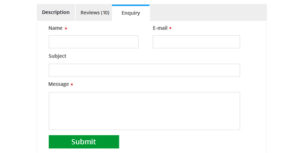
Each WooCommerce installation will have the reviews tabs added to individual product pages. I noted that people are wanting to know how to turn this functionality off or If you are selling something which doesn’t needs this feature, you can easily remove the WooCommerce reviews tab off as reviews don’t really apply to all products in all shops. Adding this code to your theme functions.php file will remove the reviews tab.
Remove Review Tab
add_filter( 'woocommerce_product_tabs', 'tr_woo_remove_reviews_tab', 98);
function tr_woo_remove_reviews_tab($tabs) {
unset($tabs['reviews']);
return $tabs;
}
Rename Reviews Tab
if you want to Rename the text in review tab simply copy paste the following code to your functions.php
add_filter( 'woocommerce_product_tabs', 'tr_woo_rename_reviews_tab', 98);
function tr_woo_rename_reviews_tab($tabs)
{
 $tabs['reviews']['title'] = 'yourtexthere'; return $tabs;
}